
How to Fix the Search Console 404 on /cdn-cgi/l/email-protection (Cloudflare Email Obfuscation)
Two Search Console errors my code never produced: Cloudflare email obfuscation minting a 404 URL, and a www record still aimed at a Namecheap parking page.
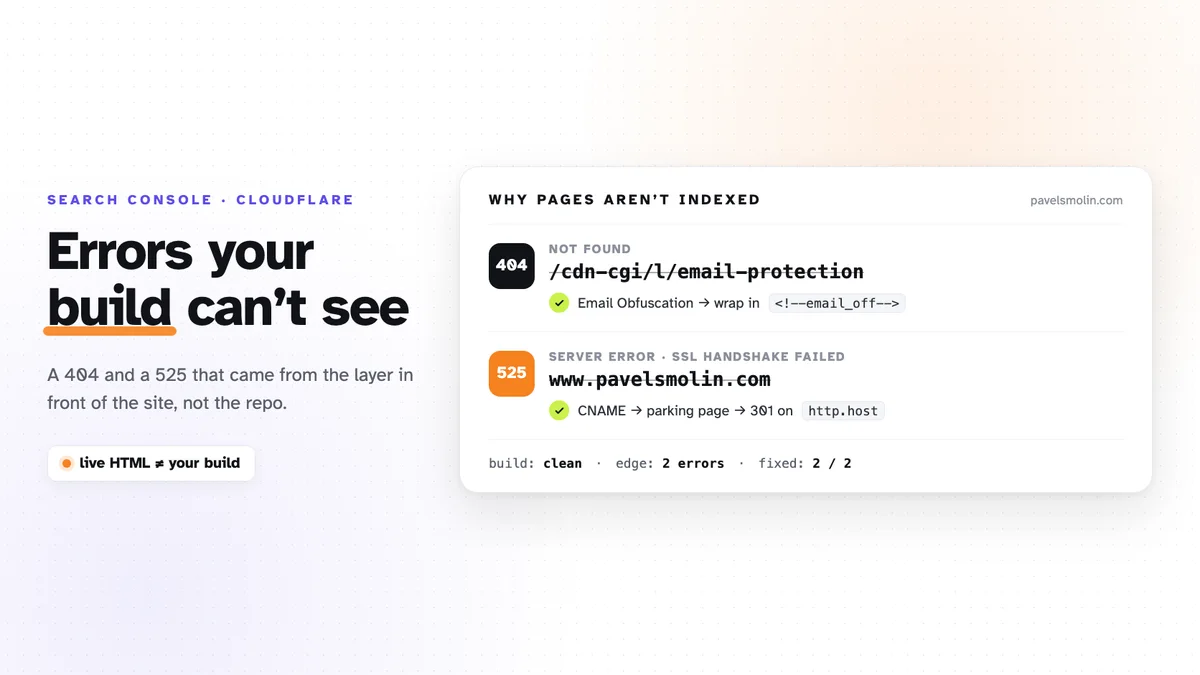
This site is static. Astro builds it, Cloudflare
Pages serves it, and CI checks every pull request. The build has never produced
a broken link. Search Console still reported two errors on it: a Not found (404)
and a Server error (5xx).
Neither came from the repository. Both came from Cloudflare configuration that sits in front of the site, which is why no build, test, or local preview could have caught them. Here is what each one was, how to confirm it’s yours, and the fix, in case you landed here by pasting the URL into a search box.
The 404: /cdn-cgi/l/email-protection
Symptom. Search Console → Pages → Not found (404) lists exactly one URL:
https://pavelsmolin.com/cdn-cgi/l/email-protectionMy site has no such page, and nothing in the source links to it.
Cause. Cloudflare’s Email Address Obfuscation (Scrape Shield) is on by default. At the edge it rewrites every email address in your HTML, so a plain
<a href="mailto:hello@pavelsmolin.com">hello@pavelsmolin.com</a>reaches the browser as a link to /cdn-cgi/l/email-protection#<encoded>, plus a
small script that decodes it for humans. Bots are the point: scrapers see the
encoded blob, not the address.
Googlebot sees it too. It drops the #fragment (fragments are never sent to
servers), crawls /cdn-cgi/l/email-protection bare, and gets a 404. Any page
with an email on it now links to a dead URL. On this site that is every page,
because the address is in the footer.
You can check this in ten seconds:
curl -s -o /dev/null -w "%{http_code}\n" https://your-site.com/cdn-cgi/l/email-protection
# 404
curl -s https://your-site.com/ | grep -c "email-protection"
# > 0 means Cloudflare is rewriting your emails
Note the second command runs against the live site. Your local build output will not show the rewrite, because it doesn’t exist until Cloudflare serves the page.
Fix. Two options:
- Turn it off: Cloudflare dashboard → your domain → Scrape Shield → Email Address Obfuscation → off. Simple, and it covers every page at once.
- Keep it, and exclude the addresses you publish on purpose. Cloudflare leaves anything between these markers alone:
<!--email_off--><a href={`mailto:${SITE_EMAIL}`}>{SITE_EMAIL}</a><!--/email_off-->This page wraps the snippet above in the same markers. Otherwise publishing a post about the bug would have created a new instance of it.
I went with option 2 for the footer and the contact page. It stays in the repo,
so it’s reviewed and versioned like everything else. Astro keeps HTML comments
in the build output, and Cloudflare strips the markers at the edge, so the live
page ends up with a plain mailto: link and no dead URL.
The trap is the next email address someone adds, in a component or a blog post. It’ll be rewritten again, and Search Console will tell you weeks later. I wrote the rule down where my tooling reads it, not just in my head.
How late the report was. Googlebot crawled the dead URL on 7 September. Search Console first listed it on 15 September. The fix went out on 16 September. After deploying, click Validate fix on that report. Google then recrawls and emails you when it’s done.
Is a 404 on a URL you never meant to publish actually harmful? Google says a 404 on its own doesn’t hurt ranking. But it is a link from every page to nowhere, it clutters the one report you want empty, and here it pointed at a setting I didn’t know was on.
The 525: a www record pointing at a parking page
Symptom. Search Console → Server error (5xx), on www.pavelsmolin.com.
Opening it in a browser shows Cloudflare’s error page:
525: SSL handshake failed. The apex domain worked fine.
Cause. A 525 means Cloudflare’s edge could not complete a TLS handshake
with your origin. So the question is: what origin does www have?
It had the wrong one:
www.pavelsmolin.com CNAME parkingpage.namecheap.com ProxiedThat is Namecheap’s default for a freshly registered domain. When a domain
moves to Cloudflare, the onboarding scan copies the existing records, so the
leftover most likely came across that way. The site lives on Cloudflare Pages
and only the apex domain was attached to the Pages project. www still
pointed at Namecheap’s parking page, proxied through Cloudflare. Over HTTPS the handshake failed, hence the 525. Plain http://www
was worse in a quieter way: it served Namecheap’s parking page with a 200 on
my domain.
dig won’t show you this. A proxied record resolves to Cloudflare’s IPs, not
to its target. You have to look at the DNS records in the dashboard.
Fix. Redirect www at the edge, before any origin is contacted. That makes
the leftover CNAME irrelevant, as long as it stays proxied, since the rule only
runs on proxied traffic. Rules → Redirect Rules → create:
When:      Custom filter expression
           (http.host eq "www.pavelsmolin.com")
Then:      Dynamic redirect, 301
           concat("https://pavelsmolin.com", http.request.uri.path)
           Preserve query string: on
Two things tripped me up here:
- Cloudflare’s built-in “Redirect from WWW to root” template matches
https://www.*only. After deploying it, HTTPS was fixed andhttp://wwwstill served the parking page. - The wildcard mode rejects a protocol wildcard like
*://www.example.com/*. Matching onhttp.hostin a custom expression covers both schemes.
Cloudflare also warned that the rule “may not apply” because DNS “may not be proxying traffic for www”. The record was proxied (orange cloud). The warning was wrong, and deploying anyway was correct.
Verify with curl, both schemes, with a path and a query:
for u in https://www.your-site.com/about/ "http://www.your-site.com/blog/?a=1"; do
  curl -s -o /dev/null -w "%{http_code} -> %{redirect_url}\n" "$u"
done
# 301 -> https://your-site.com/about/
# 301 -> https://your-site.com/blog/?a=1
How long it sat there. I first saw this 525 in a coverage export on 18 July and fixed it on 25 September. The diagnosis took minutes. It sat for two months because the fix wasn’t a pull request. The email bug was fixed the same day it was found, because the fix lived in the repo.
In the meantime, the 5xx count in Search Console dropped to zero on its own. That wasn’t a fix. Google had simply stopped retrying the URL.
What I’d check on any Cloudflare-fronted site
- Search Console → Pages on a new property after the first month, then
monthly. Anything under
/cdn-cgi/is Cloudflare’s, not yours. - Every DNS record the import brought over. Registrar parking records are the classic leftover.
wwwand apex both, overhttpandhttps. Fourcurlcalls. Every one should end in a 200 on the single canonical host.- Anything Cloudflare rewrites at the edge: email obfuscation, Rocket Loader, injected scripts. The live HTML is what Google indexes, not your build.
The general lesson is small but it keeps coming back: a clean build proves the repo is fine, and says nothing about the layer in front of it. If your site sits behind Cloudflare and Search Console is showing you errors you can’t find in your code, get in touch. It’s usually one of these two.